本文实例为大家分享了jsp cookie+session实现简易自动登录的具体代码,供大家参考,具体内容如下
关闭浏览器只会使存储在客户端浏览器内存中的session cookie失效,不会使服务器端的session对象失效。
如果设置了过期时间,浏览器就会把cookie保存到硬盘上,关闭后再次打开浏览器,这些cookie依然有效直到超过设定的过期时间。
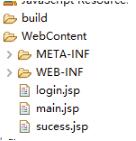
login.jsp
%@ page language="java" contentType="text/html; charset=UTF-8"
 pageEncoding="UTF-8"%>
!DOCTYPE html>
html>
head>
meta charset="UTF-8">
 head>
  title>登录/title>
 /head>

 body>
 form action="sucess.jsp" method="post">
 用户名:input name="username" />br/>

 %--input type="checkbox" name="time" />记住用户名 --%>

   input type="submit" name="submit" id="submit" value="登录"/>
 /form>
 %
 //读取session值
 String val= (String)session.getAttribute("name");
 //如果session不存在
 if(val==null){
  val ="不存在";
 }
 out.print("当前\""+val+"\"用户可自动登录");
 %>

 /body>
/html>
success.jsp
%@ page language="java" contentType="text/html; charset=UTF-8"
 pageEncoding="UTF-8"%>
!DOCTYPE html>
html>
head>
meta charset="UTF-8">
title>主不在乎/title>
/head>
body>
%
 //获取username
 String name = request.getParameter("username");
 //判断用户名是否存在
 if(name != null  !name.trim().equals("")){
 //String[] time = request.getParameterValues("time");

 //设置session值,(login页面可读取)
 session.setAttribute("name", name);

 //设置Cookie
 Cookie Cookie = new Cookie("name",name);
 Cookie.setMaxAge(30*24*3600); //设置cookie有效期为30天
 response.addCookie(Cookie); //在客户端保存Cookie

 out.println("welcome: " + name+"欢迎登录");
 }
 else{
 response.sendRedirect("main.jsp");
 }

%>
a href="login.jsp" >relogin/a>
/body>
/html>
main.jsp
%@ page language="java" contentType="text/html; charset=UTF-8"
 pageEncoding="UTF-8"%>
!DOCTYPE html>
html>
head>
meta charset="ISO-8859-1">
title>主不在乎/title>
/head>
body>

%
String name=(String)session.getAttribute("username");

//获取cookie
Cookie[] cookies = request.getCookies();

//cookie存在
 if(cookies != null  cookies.length > 0){
 for(Cookie cookie:cookies){
  //获取cookie的名字
  String cookieName = cookie.getName();
  //判断是否与name相等
  if(cookieName.equals("name")){
  //获取cookie的值
  String value = cookie.getValue();
  name = value;
  }
  }
 out.println("welcome again: " + name+"欢迎登录");

//*************************
 // 另一种写法

 String v=null;
 for(int i=0;icookies.length;i++){
 if(cookies[i].getName().equals("name")){
 v=cookies[i].getValue();
 }
 }
 if(v!=null){
 out.println(" Hello World "+v);
 }

 }
//*************************
 else {
 response.sendRedirect("login.jsp");
 }

%>


a href="login.jsp" >relogin/a>

/body>
/html>
运行login.jsp
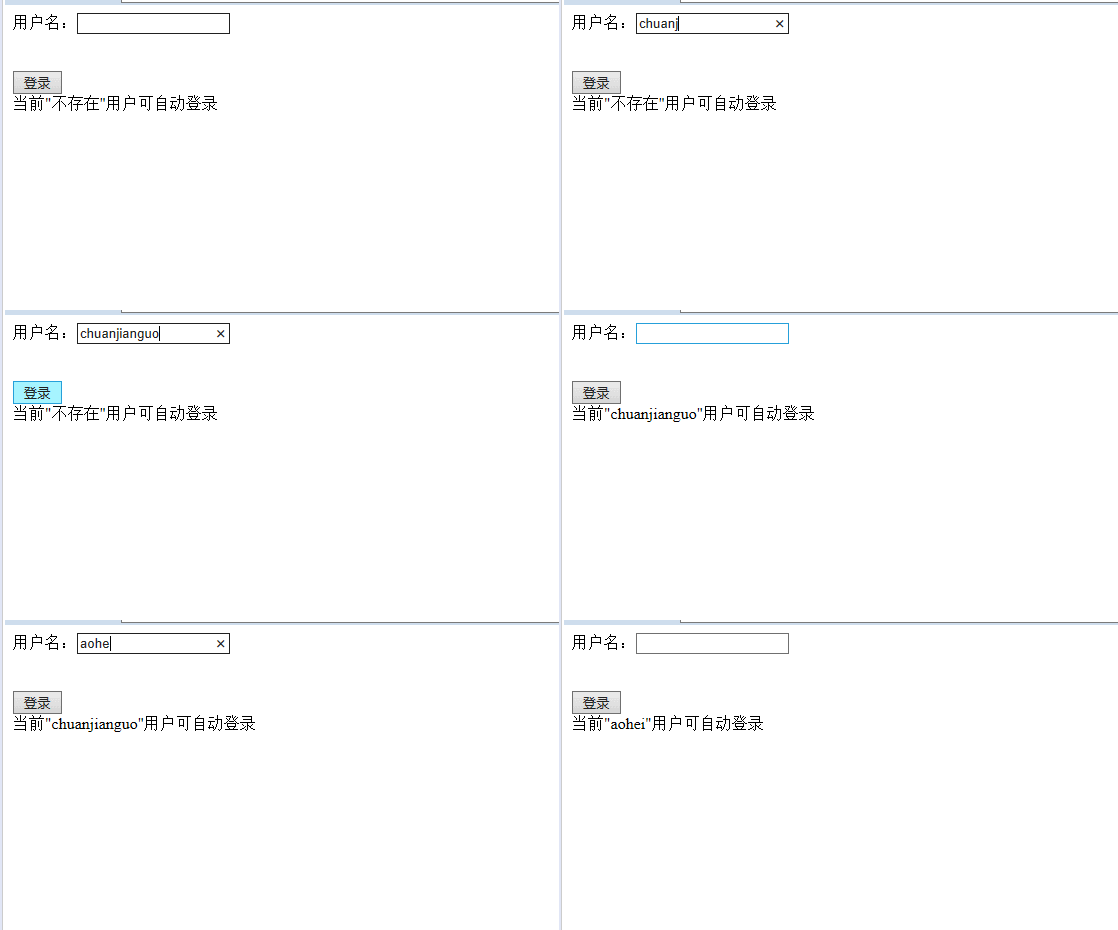
以上就是本文的全部内容,希望对大家的学习有所帮助,也希望大家多多支持脚本之家。
您可能感兴趣的文章:- JSP登录中Session的用法实例详解
- jsp如何获取Session中的值
- JSP 中Session的详解及原理分析
- JSP Session超时设置的实现方法
- jsp使用sessionScope获取session案例详解



 咨 询 客 服