看到这个题目你可能觉得这是什么鬼? 其实我想说的是这种,看下面的录制:
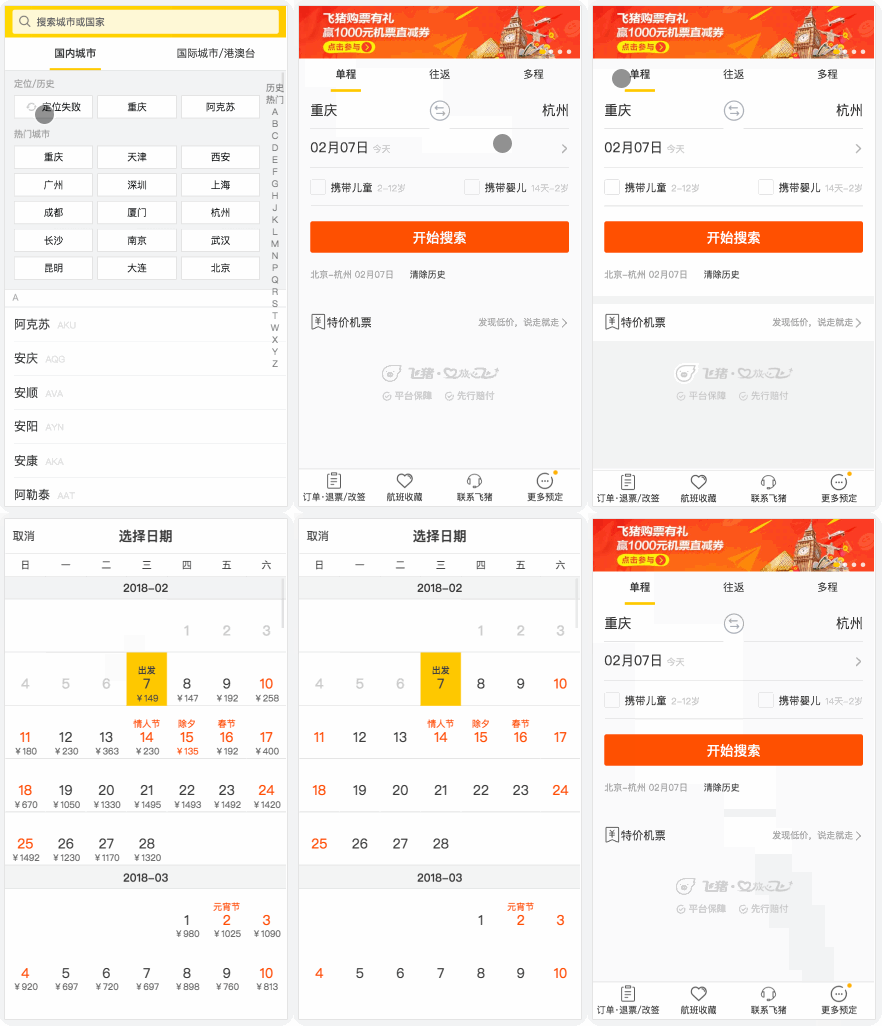
这种交互在H5页面中比比皆是,点击城市->弹出城市选择浮层->按返回按钮关闭浮层。
这些操作都是不要点击左上角/右上角的关闭按钮就可以进行的,飞猪的H5是前进出现弹层,返回时弹层关闭,其他家都不行(去哪儿网H5飞机票,美团H5酒店)。
为什么要这么设计?
因为H5是在手机上操作的,手机上的手指可操作区域的覆盖范围很小,更别说左上角/右上角这些死角(取消/关闭)区域了。你肯定听过这个操作:轻触返回。这个在用户操作的时候非常方便友好,选择完城市后,不需要点击取消,直接在大拇指可以操作的地方点击返回就关闭了弹层。
如何实现
既然有这种非常好的需求,那作为开发肯定就会想法设法的实现这个功能了。 你甚至都不用google,你就应该会想到类似的history.back(),history.go()这些方法了。 然而想到这些依旧没用,理论上 浏览器/webview 的返回/前进的是要重新加载页面的,因为URL发生了变化。 如果你真的知道单页面应用(SPA),或者使用React/Vue你就应该知道有个东西叫:路由。 这些通过改变hash且无法刷新的url变化是HTML5时加入的history功能
the-history-interface
interface History {
  readonly attribute unsigned long length;
  attribute ScrollRestoration scrollRestoration;
  readonly attribute any state;
  void go(optional long delta = 0);
  void back();
  void forward();
  void pushState(any data, DOMString title, optional DOMString? url = null);
  void replaceState(any data, DOMString title, optional DOMString? url = null);
};
- pushState
- replaceState
还有一个事件
- onpopstate
pushState,replaceState 用来改变histroy堆栈顺序,onpopstate 在返回,前进的时候触发
vue-router中的实现也是如此(第1694行)
具体实现
既然说了这么多,那我们来看下怎么实现这种功能。
来看下 pushState 和 replaceState 的兼容性
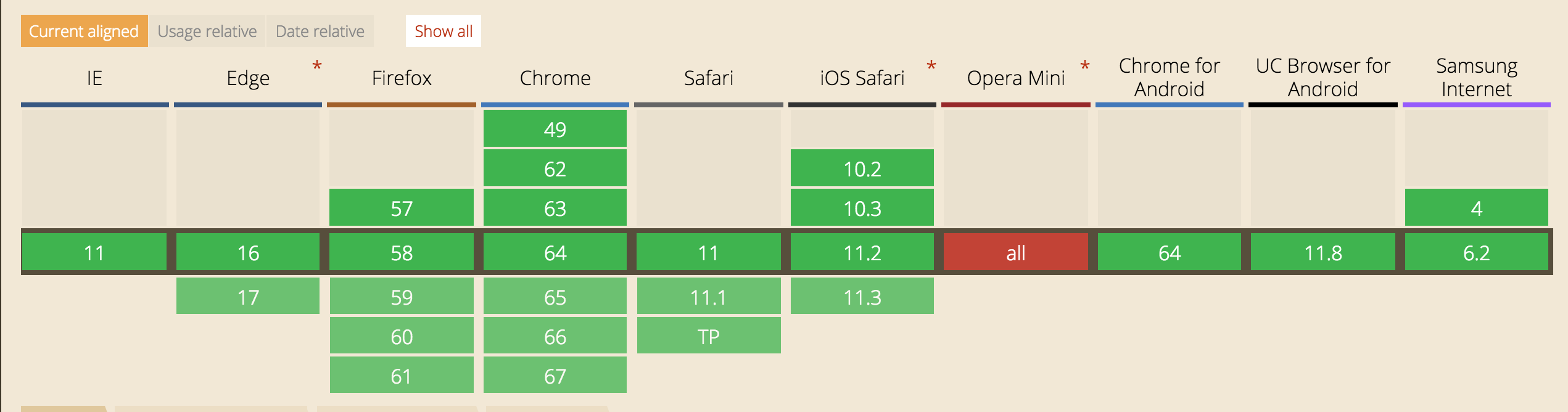
全绿,用起来放心多了。
思路:
- 点击弹层时 pushState 添加 hash
- "轻触返回"的时候触发 onpopstate 事件时候隐藏弹层并修改 hash
<button onclick="city()">
        城市
    </button><br>
    <button onclick="calendar()">
        日历
    </button><br>
    <button onclick="description()">
        说明
    </button>

    <div id="city" class="com" style="display: none;">
      模拟城市弹框层
    </div>
    <div id="calendar" class="com" style="display: none;">
      模拟日历弹框层
    </div>
     <div id="description" class="com" style="display: none;">
      模拟说明弹框层
    </div>
      button {
          border: #0000;
          background-color: #f90;
      }
      .com {
        position: absolute ;
        top: 0;
        bottom: 0;
        left: 0;
        right: 0;
        background-color: #888589;
      }
var cityNode = document.getElementById('city');
    var calendarNode = document.getElementById('calendar');
    var descriptionNode = document.getElementById('description');
      function city() {
        cityNode.style.display = 'block';
        window.history.pushState({'id':'city'},'','#city')
      }
      function calendar() {
        calendarNode.style.display = 'block';
        window.history.pushState({'id':'calendar'},'','#calendar')
      }
      function description() {
        descriptionNode.style.display = 'block';
        window.history.pushState({'id':'description'},'','#description')
      }
      window.addEventListener('popstate', function(e){
        // alert('state:' + e.state + ', historyLength:' + history.length);
        if (e.state && e.state.id === 'city') {
            history.replaceState('','','#');
            cityNode.style.display = 'block';
        } else if (e.state && e.state.id === 'calendar') {
            history.replaceState('','','#');
            calendarNode.style.display = 'block';
        } else if (e.state && e.state.id === 'description') {
            history.replaceState('','','#');
            descriptionNode.style.display = 'block';
        } else {
            cityNode.style.display = 'none';
            calendarNode.style.display = 'none';
            descriptionNode.style.display = 'none';
        }
      })
主要看 JS 代码,监听页面的前进和后退事件来控制history。
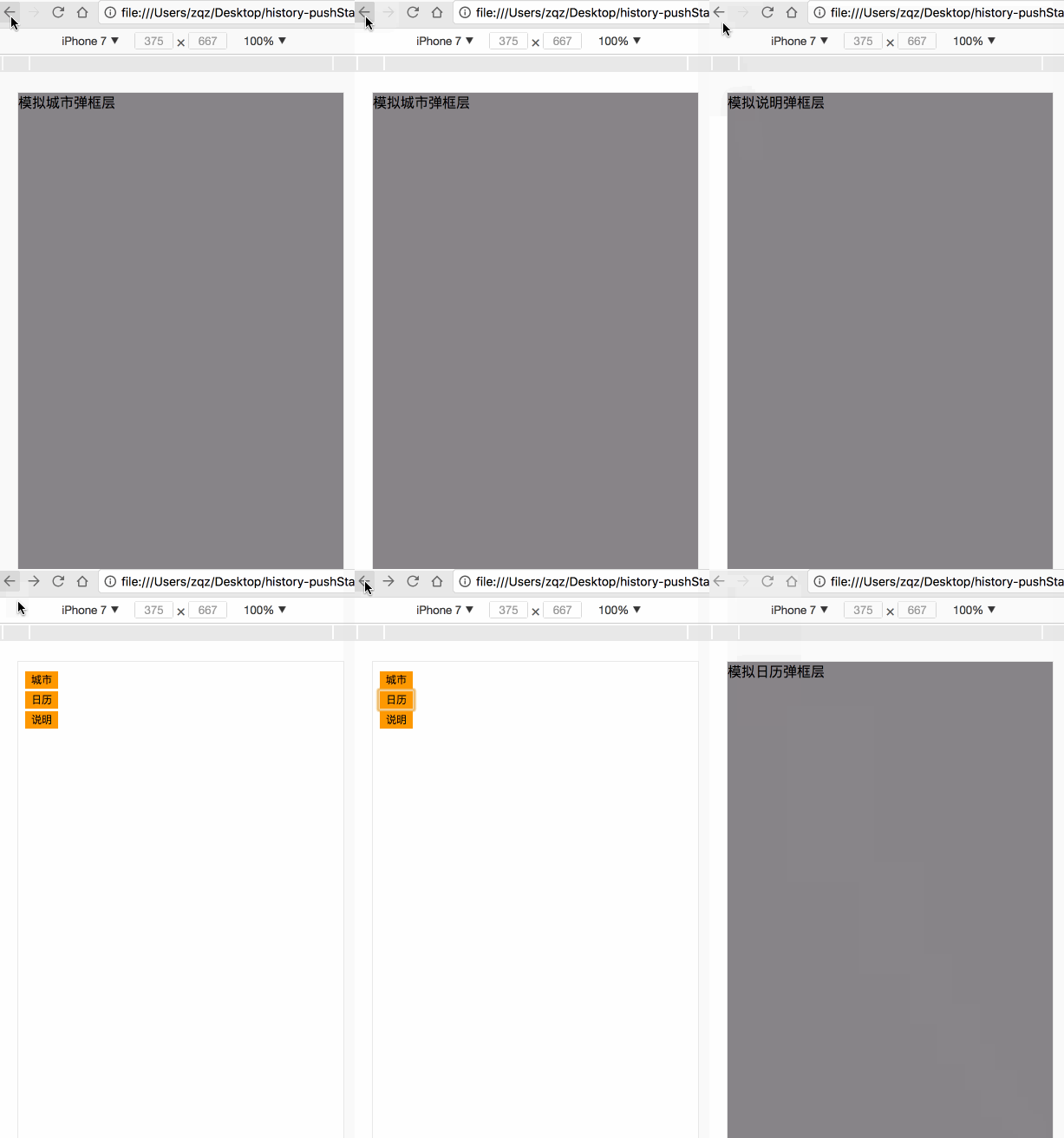
源码在此
以上就是本文的全部内容,希望对大家的学习有所帮助,也希望大家多多支持脚本之家。



 咨 询 客 服